
Steam Community Market Now Lets You Change Prices Without Relisting, as Update Adds Trend Displays and Other Features for Easier Trading

Features such as the ability to view trending items and adjust listing prices have been added, making it even more convenient to buy and sell items.

PC Windows
Steam Community Market Now Allows Price Changes Without Relisting. An update has been released that adds new features, such as a trends display, making trading easier.
  • Steam Community Market Now Allows Price Changes Without Relisting. An update has been released that adds new features, such as a trends display, making trading easier.
  • Steam Community Market Now Allows Price Changes Without Relisting. An update has been released that adds new features, such as a trends display, making trading easier.
  • Steam Community Market Now Allows Price Changes Without Relisting. An update has been released that adds new features, such as a trends display, making trading easier.

Valve has announced a new update regarding Steam's Community Market feature.

Market Features Enhanced

The new features added this time are primarily focused on the Marketplace.

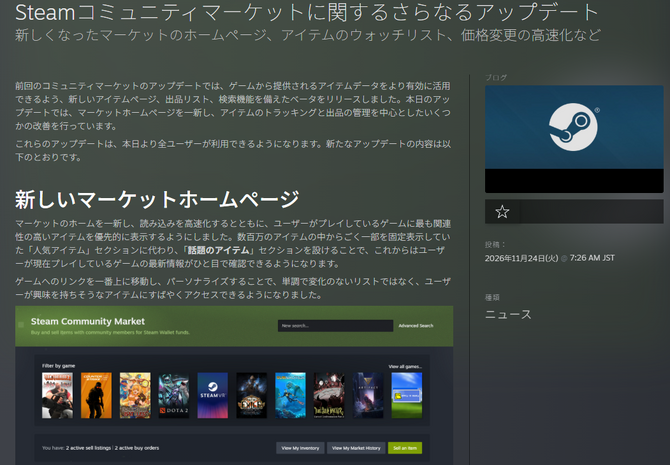
First, the “Popular Items” section—which previously displayed a fixed selection from among millions of items—has been replaced with a “Trending Items” section that shows the latest items from the games users are currently playing.

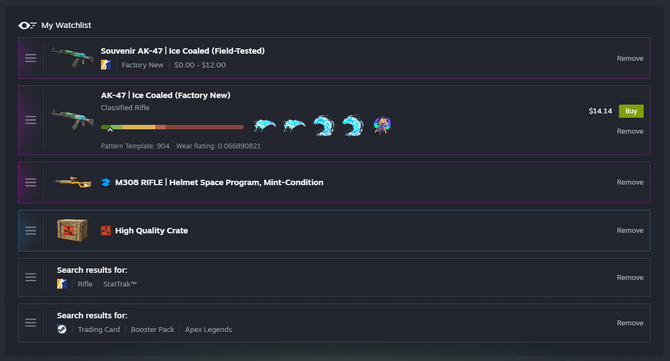
In addition, a “Watchlist” has been added to help users keep track of multiple items. Users can now save search criteria—including filters—making it easier to keep track of items.
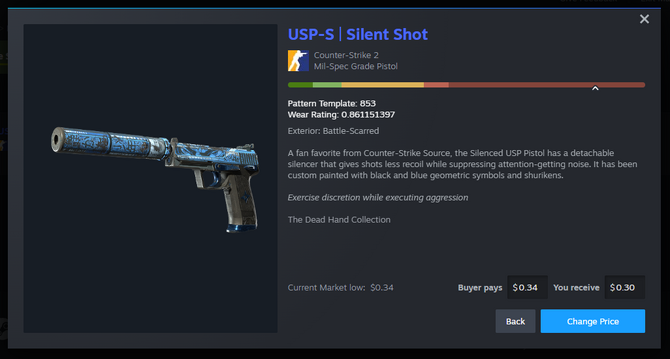
Previously, when changing the price of a listed item, you had to remove it and relist it. Now, you can change the price directly without having to relist the item.
Furthermore, the authentication process for trading via the Steam mobile app has been simplified. When buying or selling from a smartphone that uses Steam Guard authentication, you can now verify the transaction directly within the Marketplace screen.

These changes are already available to all users. Please visit the Steam News page for details.


By KADEN
