


With prices on the rise and budgets tight these days, it’s not like we can just go on a spending spree and buy tons of games.
So in this article, I’ll introduce a few websites where you can get games and in-game items for free. Beyond the usual go-to sources like the Epic Games Store and Steam, there are actually plenty of other sites worth checking out.
Please note that this article only features sites where the author was able to confirm downloads as of November 2026 and that do not require a credit card registration.
Fanatical
“Fanatical” is a site that sells game download keys. They regularly offer free games here.
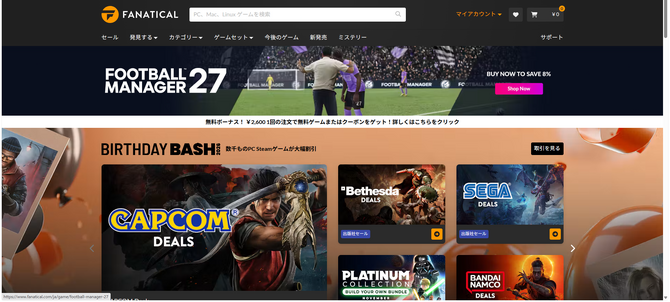
Step 1: Create a Fanatical Account
First, sign up for a new Fanatical account. You’ll need an email address and a password.
Step 2: Link your Steam account
This is important. Since Fanatical only sells game keys, you’ll need to activate them on Steam.
To do this, go to “My Account” > “Account Status” > “Linked Accounts” and link the Steam account where you’ve spent at least $5. Don’t forget to make your Steam library public as well.
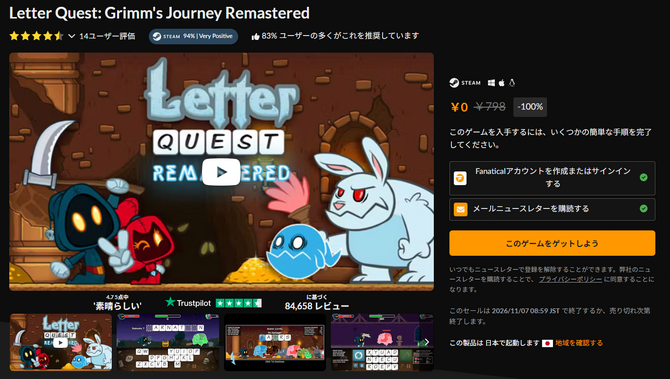
Step 3: Go to the Game Page
Unlike the Epic Games Store, Fanatical doesn’t have a section on its homepage to access free games, so you’ll need to find the game through a news article on a website or by searching for the title. This part is a bit of a hassle.
The game we’re getting this time is *Letter Quest: Grimm’s Journey Remastered*. It’s an RPG where you fight by entering English words—it seems like a great way to study English. (*Note: This offer has now ended*)
To get this game, you must subscribe to Fanatical’s newsletter. You can unsubscribe at any time, so go ahead and subscribe for now.
Make sure the price shows ¥0… and GET! Go to “My Account” > “Order History” to view your Steam key; click on it to activate the game.
Ease of Use: ★★★
Reliability: ★★★
Number of Titles: ★☆☆
Alienware Arena
“Alienware Arena” is the official community and portal site for PC gamers worldwide, operated by Dell’s gaming PC brand, “Alienware.” Here, a staggering number of games and DLCs are given away for free every month.
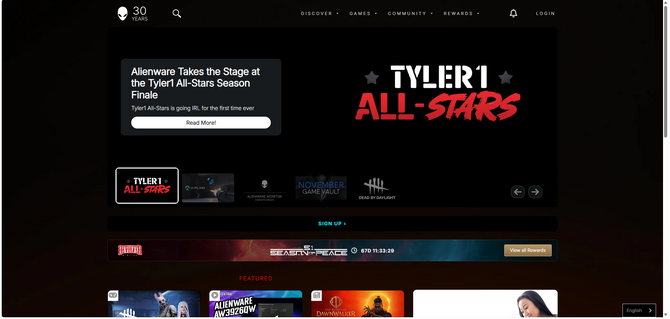
Step 1: Create an Alienware Arena account
First, create an Alienware Arena account. The process takes a bit longer than on other sites, as it includes steps like registering an avatar.
Step 2: Get the games you want from the GIVEAWAYS section
Click “GAMES” → “GIVEAWAYS” at the top of the page. You’ll see dozens of games lined up, and you can claim them by clicking “GET KEY” below each title. The lineup is quite comprehensive, featuring even near-new titles like *Cronos: The New Dawn*.
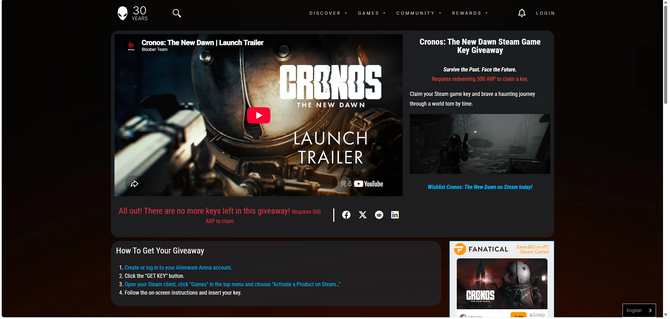
But! The number of keys for each game is limited, and the more popular titles tend to run out very quickly. On top of that, some titles require “ARP” points. You can earn these by spending time on the site or playing mini-games, so be sure to build up your ARP whenever you feel like it.
While regular free giveaways are held on an irregular basis, the “Game Vault”—where you can exchange ARP for games—takes place every month. Incidentally, the November 2026 event is scheduled to begin at 6:00 AM Japan Standard Time on the 21st.
Ease of Use: ★☆☆
Reliability: ★★☆
Number of Titles: ★★★
Lenovo Legion Gaming Community
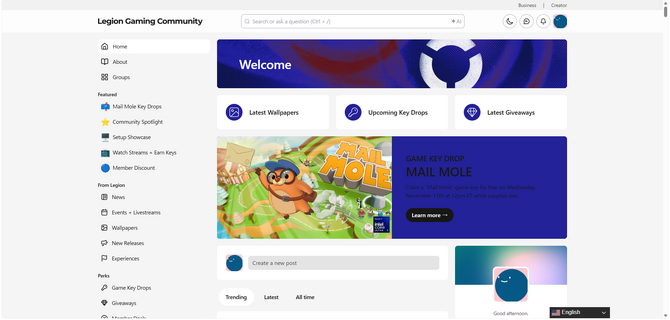
Lenovo sells a wide range of high-performance peripherals, such as gaming laptops and monitors. They also operate a community site for gamers called the “Lenovo Legion Gaming Community,” where they run a free game giveaway event called “Game Key Drops.”
Step 1: Create an Account
First, as usual, click “Sign Up” in the top-right corner to create an account.
Step 2: Participate in GAME KEY DROP
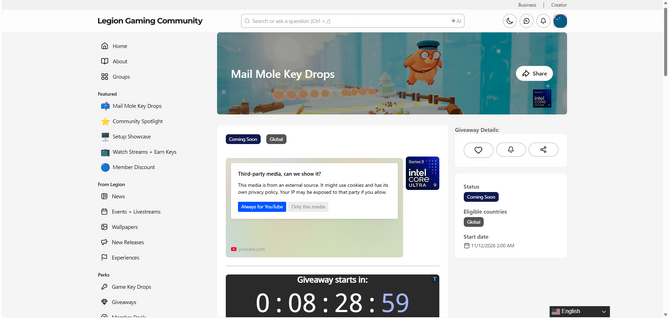
You’ll see a page titled “GAME KEY DROP”—navigate to that page. When I checked, they were preparing to give away “Mail Mole.” Note that game giveaways are region-specific, so make sure the page is set to “Global.”
You’ll also need to verify your email address with Twitch and enable cookies. It’s best to take care of these steps beforehand.
Step 3: Be Ready When the Giveaway Starts
The giveaway uses an entry system called “Gleam.” If the integration with Twitch and Lenovo Legion completes successfully, a redemption code for the game key will be displayed. Since quantities are limited, be sure to check the start time of the giveaway!
Step 4: Redeem on Gamesplanet
Copy the displayed redemption code and navigate to the designated site, “Gamesplanet.”
You’ll need to log in to this site with your Lenovo ID and enter the copied code to receive your Steam key.
It’s a bit of a long process, but you’ll get to enjoy a ticket scramble-style game where everyone gathers at the designated time.
Ease of Use: ★☆☆
Reliability: ★☆☆
Number of Titles: ★★☆
SteelSeries
You should also keep an eye on the Danish peripheral manufacturer “SteelSeries.” By downloading their app, “SteelSeries GG,” you’ll have a chance to get the game itself and in-game bonuses for free.
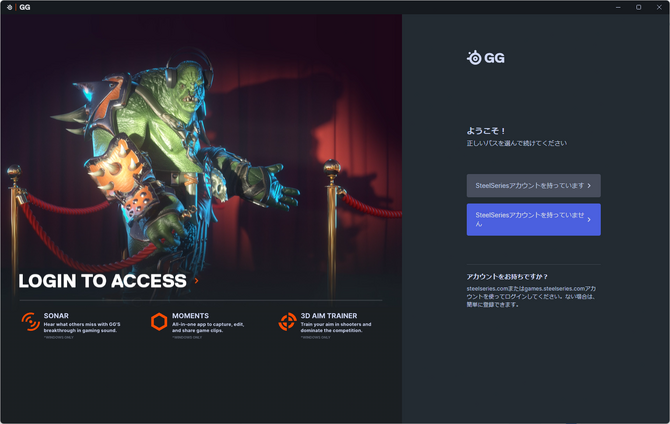
Step 1: Download SteelSeries GG
Download the “SteelSeries GG” app from the official website, install it, and then register for an account. It’s a pretty hardcore app—you’re greeted by a menacing-looking goblin.
In addition to gameplay recording features, this app also comes with a free game called “3D Aim Trainer.” FPS players might want to give it a try.
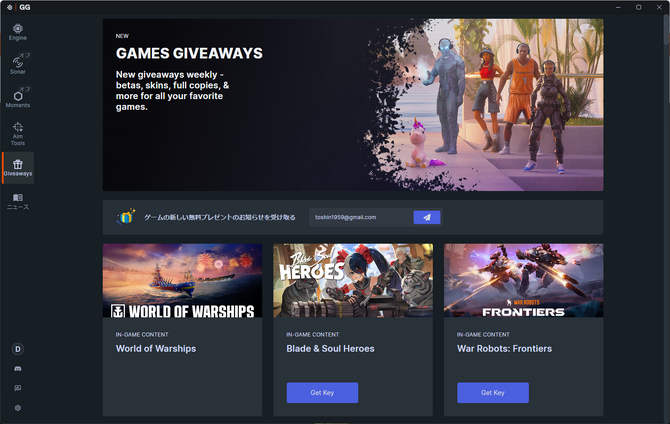
Step 2: Get the Game of Your Choice from Giveaways
Once you’ve downloaded the app, the rest is easy. Just head to “Giveaways” and grab whatever you like.
However, since many of these are limited-quantity giveaways available on a first-come, first-served basis, be sure not to miss the update notifications.
Ease of Use: ★★☆
Reliability: ★★☆
Number of Titles: ★★☆
While each offer has specific conditions, such as limited quantities, if you check back regularly, you might stumble upon some unexpected gems.
Even games you’ve wanted for a while but rarely go on sale might just pop up on a site like this…?
