


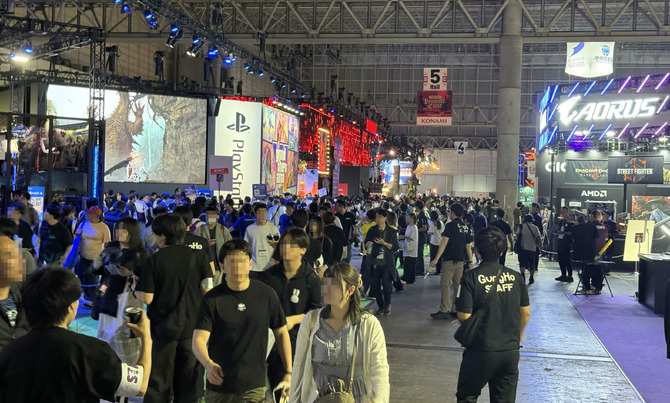
The Tokyo Game Show 2026 was held from Thursday, September 17, to Sunday, September 20, 2026. If you attended in person, you likely witnessed the electric atmosphere filling the venue, the bustling booths, and the long lines of people waiting to play the titles they simply couldn’t resist.Waiting times can feel even longer when anticipation is high, but what if you could use that “waiting time” for your own gameplay?

That’s where the “VITURE Pro 2” XR glasses—which boast a virtual screen equivalent to up to 146 inches—come in. Please note that the demo images in this article were not taken while waiting in general lines; they were captured in designated areas with permission, while prioritizing venue rules, staff instructions, and the safety of those around us.
Even “waiting” is part of the thrill of a gaming event. So, why not make the most of that time too?
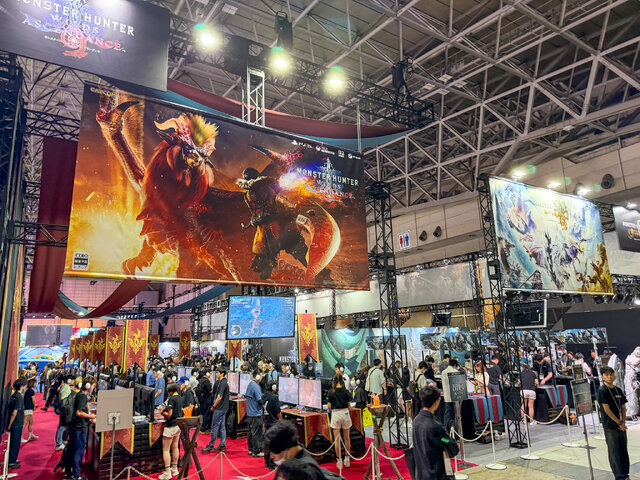
The Tokyo Game Show is a once-a-year festival for gamers. You could surely feel the excitement of gamers who had been looking forward to this day in the crowds that began forming even before the doors opened.

Spending time in line is part of the fun of a game show… but it feels like a bit of a waste to just stare at your smartphone while waiting to play the games you’ve been looking forward to, doesn’t it? With that in mind, we decided to pair the Nintendo Switch 2 with the “VITURE Pro 2” this time.Just connect the XR glasses as if you were pulling out a handheld game console, and a private gaming screen—set slightly apart from the surrounding monitors and the crowds—will appear right before your eyes.
Of course, you’ll need to be mindful of where and when you use them.At event venues, prioritize staff instructions, the flow of lines, and the movement of people around you; avoid using the device while walking or becoming fully immersed in it in places that require your attention. That said, in rest areas or while waiting—where safety can be ensured—you can enjoy the rather luxurious experience of “playing one game while waiting for the next.”
VITURE Pro 2 XR Glasses (Official Store)
The slashing attacks from *Onimusha: Way of the Sword* fill your entire field of view

When you put on the “VITURE Pro 2” and boot up the Nintendo Switch 2, the first thing that stands out is the sensation that your field of view has suddenly expanded far beyond the handheld console’s screen.
This product features a Sony Micro-OLED panel with specifications of 1,920 × 1,080 pixels per eye, a maximum refresh rate of 120 Hz, a maximum brightness of 1,600 nits, and a 50-degree viewing angle. It’s like viewing a screen equivalent to 146 inches from a distance of about 4 meters, allowing you to project the game screen large and right in front of you.
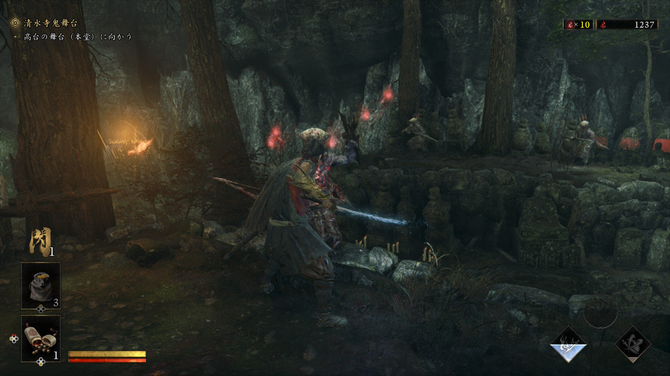
While playing *Onimusha: Way of the Sword* with the “VITURE Pro 2,” the background fading into the shadows, the light tracing the weapons, and the tension as enemies closed in all came across with a level of intensity quite different from the standard handheld gaming experience.
Because the screen feels so large, it’s easier to track enemies’ preparatory movements and maintain proper distance with your eyes, which in turn makes it incredibly satisfying to anticipate their attacks and strike back.

Since it’s easy to perceive not just the center of your field of view but also the periphery as part of the game screen, I found it easy to grasp “what’s happening right now” even during combat scenes with overlapping effects.
With specs supporting a high refresh rate of up to 120Hz, I found it easy to follow the fluidity of movement during scenes with rapid camera movements or a succession of slash effects. More than the specs themselves, the fact that “it’s easy to naturally keep an eye on the information on the screen” is what makes it so well-suited for action games.

The display’s ability to maintain brightness even in environments with artificial lighting or natural light—such as event venues or outdoors—is a reliable feature. You can quickly remove the glasses when you need to check your surroundings, and immerse yourself in the game when you’re in a place where you can focus on playing. It’s precisely this flexibility that makes using them at event venues or while waiting on the go a realistic possibility.
VITURE Pro 2 XR Glasses (Official Store)

We had several people other than the author try out the “VITURE Pro 2,” and they praised the screen brightness, which made for an enjoyable gaming experience even outdoors. Users reported that when they projected games running on a tablet onto the glasses, they could play much more comfortably than they had imagined. Since connecting a tablet requires just a single Type-C cable, the cable setup remains quite neat and tidy.
As for comfort, many were surprised by how lightweight the glasses are. Users felt they could enjoy games like *Switch* while lying down without worrying about their posture, and actually wearing them seemed to broaden their ideas for how to use them.

Beyond gaming, when users watched music videos featuring game characters on YouTube, they commented that the immersive experience was completely different from what they get on smartphones or tablets. The sound quality was also well-received, and users found it appealing as a way to fully enjoy videos of their favorite characters.
“Weighing just 63g” and smart wiring support gaming on the go

When taking the big-screen experience on the go, the comfort of the glasses is just as important as the video quality. The “VITURE Pro 2” weighs only about 63g and is designed to minimize strain on the face, even during extended wear.The temples offer three adjustment levels, and the nose pads come in three types—for a total of seven fitting options—allowing users to adjust the position to fit their facial features.


When I actually tried them on, simply positioning the frame properly on my ears and nose and adjusting the nose pads made a noticeable difference in stability. Since even the slightest misalignment can affect the display on glasses-style devices, taking the time to adjust them to fit your face properly from the start is crucial.
Additionally, the independent left and right diopter adjustment dials support a range from 0 to -5.00D. Even if the degree of myopia differs between the left and right eyes, you can focus each lens individually, allowing you to use the device without wearing your regular glasses—as long as your prescription falls within the supported range.The model in the photos is not wearing glasses, but the author of this article wore the “VITURE Pro 2” over their own glasses. While the combination of glasses and the headset makes for a slightly bulky look, I was able to play comfortably without feeling any discomfort even in that setup.

Additionally, for this trial, I connected the Nintendo Switch 2 to the “VITURE Pro 2” and the “VITURE Pro Mobile Dock.”This dock is compatible not only with the Switch but also with PCs, TV sticks, and home game consoles, and can output video to up to two “VITURE Pro 2” units. In other words, as long as you have the glasses, two people can play games on a virtual screen or share video content together.
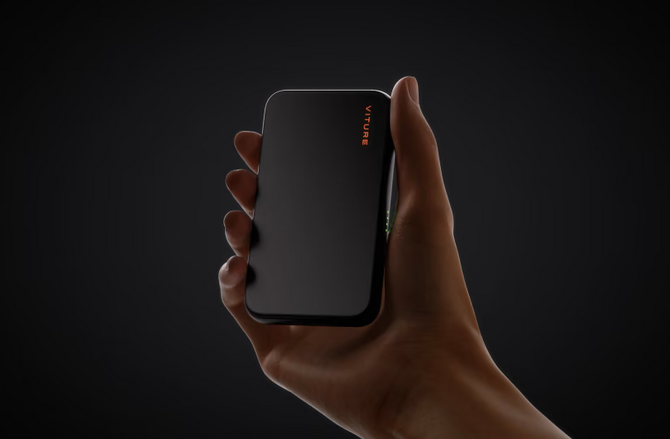
Pre-orders are now open for the new “VITURE Mobile Dock Mini,” which is 34% smaller and 30% lighter than the model shown in the photos.
The “VITURE Mobile Dock Mini” supports devices capable of video output via USB-C. When used with the Switch 2 or the original Switch, it can charge the console and output video while attached magnetically. Being able to neatly organize your connections on the go is a major advantage for devices like these!

The process of taking it out of your bag, connecting the Nintendo Switch 2, the dock, and the glasses, and starting to play is much smoother than setting up a home console to connect to a TV.In places like cafes or rest areas, the fact that you can “set up a game screen right in front of you”—even if there’s no monitor available—is incredibly powerful for gamers. As a “setup for playing a bit in your spare time,” this combination couldn’t be more reliable!
VITURE Pro 2 XR Glasses (Official Store)
The option to carry your “very own big screen” with you, whether at an event or on the go

The appeal of the “VITURE Pro 2” isn’t just about displaying gameplay in a spectacular, immersive way. It lies in the ability to create your very own gaming screen wherever you are—without relying on a large monitor or a dedicated gaming setup—simply by connecting to compatible game consoles, PCs, or smartphones.
Features such as a virtual screen equivalent to up to 146 inches, a refresh rate of up to 120 Hz, and independent left/right diopter adjustment should provide practical support for those who want to immerse themselves in gaming even when they’re out and about.

On the other hand, out of consideration for safety and public etiquette, it’s important to use XR glasses in a calm, seated environment or in situations where they won’t hinder your movement. When connecting this device to a game console, smartphone, or tablet, be sure to avoid walking or crowded hallways at all costs, and take care not to disturb those around you.
Whether you’re waiting for a game to launch, taking a break between events, or enjoying some downtime at a hotel or while traveling, the combination of the “VITURE Pro 2” and the Nintendo Switch 2 might just expand your options for where you can play games!
VITURE Pro 2 XR Glasses (Official Store)
The “VITURE Pro 2” XR glasses are currently on sale for the regular price of 49,880 yen (tax included). Pre-orders for the “VITURE Mobile Dock Mini” are being accepted for 16,800 yen (tax included). If you want to enjoy games in a variety of ways—whether at home, out and about, or on the go—as long as it’s safe, why not check them out?
“VITURE Fall Grand Thank You Sale” Now On! Coupons for Game*Spark Readers, Too
The “VITURE Fall Grand Thank You Sale” will be held from 12:00 a.m. on Tuesday, October 13, 2026, through 11:59 p.m. on Monday, October 19.This is your chance to purchase select XR glasses and accessories at great prices on the official VITURE website, Amazon, Rakuten Ichiba, Yahoo! Shopping, and at electronics retailers nationwide. If you’re interested in a big-screen experience at home or on the go, be sure to check it out.
Additionally, we’ve prepared two exclusive coupons for Game*Spark readers who are reading this article. They are valid until Monday, November 30, 2026. The eligible products and discount details are as follows.
Coupon 1: 3,000 yen off eligible sets
You can purchase the “5th Anniversary Collection – VITURE Pro 2 Dock Mini Set,” available exclusively on the official website, for 3,000 yen off.
Coupon Code: GAMESPARK101
Apply Coupon 1 and check it out on the VITURE official website
Coupon 2: 10% OFF eligible products
You can purchase eligible products listed on the dedicated page for 10% OFF.
Coupon Code: GAMESPARK102
On the official VITURE website, the coupon will be automatically applied when you access the site via the coupon links above. If purchasing on Amazon, please visit this eligible products page and enter the corresponding coupon code during checkout.
*Coupons are valid through Monday, November 30, 2026.
*Eligible products vary by coupon.
*Cannot be combined with other offers or coupons. *When using on
Amazon, please be sure to verify that the discount has been applied before finalizing your order.
©CAPCOM



