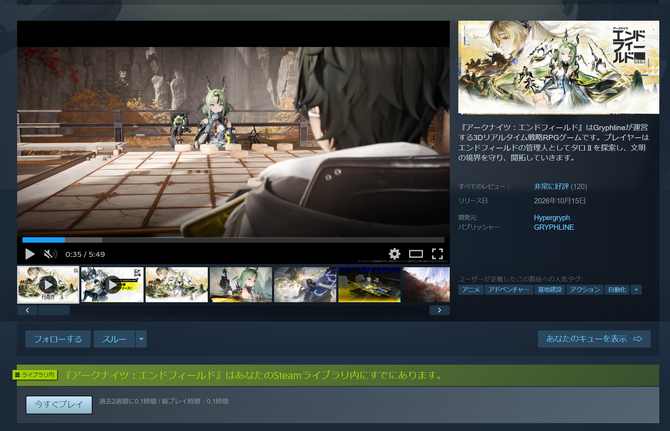
GRYPHLINE officially released the Steam version of the 3D real-time strategy RPG *Arknights: Endfield* today, October 15, 2026.
The Steam version of this full-fledged real-time strategy RPG—featuring simultaneous command of a four-person party and an industrial system—is finally here!
This title builds upon the world of *Arknights*, allowing you to develop the planet Taro II as its administrator. In addition to combat where you command four Operators simultaneously, the “Integrated Industrial System,” which lets you build your own production lines, is another major feature.
Want to manage screenshots, recordings, and the community all in one place on Steam?
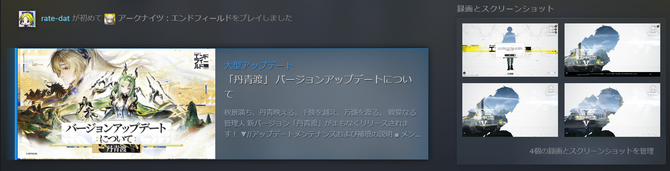
One thing to note about the Steam version is how easy it is to capture gameplay.
In the original PC launcher version, taking screenshots outside of the in-game camera was extremely inconvenient, but with Steam’s screenshot feature, you can capture images using the default F12 key. If you have the Steam Overlay enabled, you can view screenshots taken during gameplay by pressing Shift + Tab.

Furthermore, Steam offers a “Game Recording” feature. In addition to manually starting and stopping recordings, you can record in the background and later select specific scenes to save as clips. This is a lifesaver for those moments when you think, “I wish I’d recorded that scene just now…”
You can view all your captured images and videos together in Steam’s “Recordings and Screenshots” section. It’s handy not only for saving moments featuring your favorite operators but also for preserving the production lines you’ve painstakingly built through trial and error.
If you plan to use the recording feature, be sure to select your recording method and save location in Steam’s settings. You can also use Steam’s built-in sharing features or post to platforms like X or SKPORT to interact with other admins.
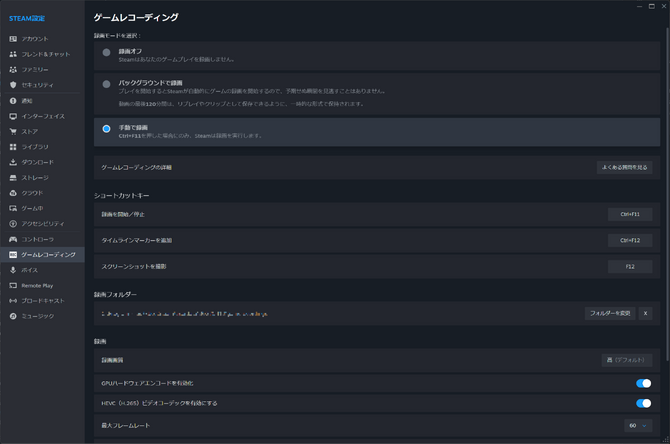
These are standard Steam features, but using them requires support for the overlay and some configuration. For admins considering a switch to the Steam version, these recording features are likely a point of interest.
You can continue playing with your existing data. Be sure to verify your linked account
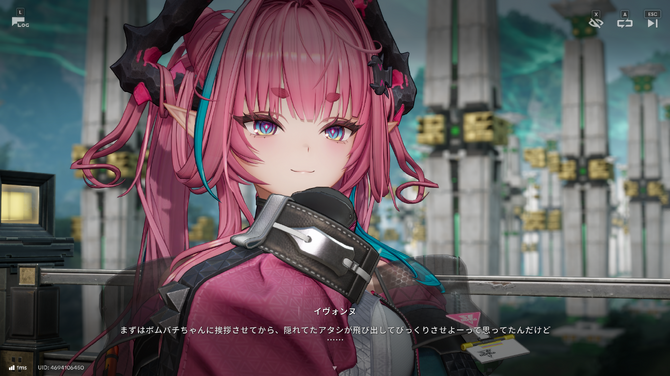
The Steam version supports account data sharing across platforms. Administrators who are already playing can log in with their existing GRYPHLINE account and link it to their Steam account to continue their adventure. It’s great that you don’t have to start over from scratch.
The store page also notes that a GRYPHLINE account is required. If you want to use your existing progress, be sure to verify which account you’re linking to avoid accidentally creating a new one.
If you’re already playing the GRYPHLINK Launcher version, you’ll probably want to use the game files you’ve already downloaded. On the Steam Community, user SanderLy has published a guide titled “Skip the Steam Redownload.” Here’s a quick summary of the steps:
Start installing the game on Steam, wait a few seconds, and then cancel the download. Uninstall the game from Steam, and then completely close Steam.
Open the game settings from the three-line menu next to the GRYPHLINK launch button and check the installation directory. The source folder will look something like “...\Arknights Endfield\GRYPHLINK\games\EndField Game.”
Copy the contents of that folder to the “...\steamapps\common\Arknights Endfield\” directory within the Steam library you specified earlier. The key point here is to place the contents directly—do not include the “EndField Game” folder itself.
Launch Steam, select the same installation directory, and reinstall the game. If Steam begins verifying existing files, it means it has recognized the files.
Once the game launches, select the GRYPHLINE account you’ve been using, verify the linked account, and link it to your Steam account.
This is a community-provided procedure, and additional downloads may be required depending on version differences or missing files.
Be sure to keep the original launcher version’s files and proceed by copying them, not moving them. Please note that simply copying the files will not transfer your save data; you’ll need to link your accounts to continue playing from where you left off.
The new version, “Danqingdu,” is also released today, October 15
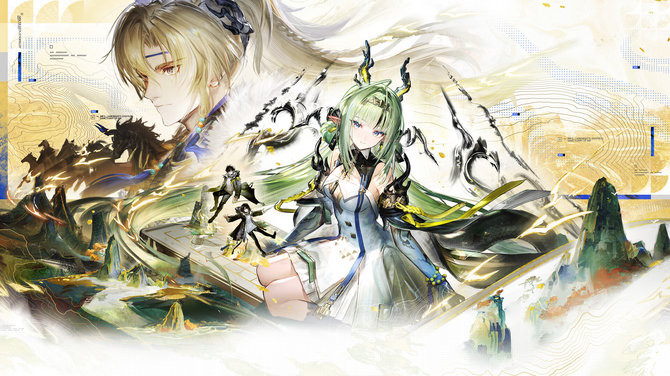
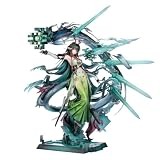
In the new version “Danqingdu,” released on the same day, the new map “Su’s Painting” is unlocked, and the Cold-attribute ★6 Support Operator “Su” makes her debut. Another new ★6 Operator, “Minho,” is scheduled to appear on November 5.
In addition to the new story, adjustments have been made to improve the gameplay experience. You’ll now be able to install facilities and manufacturing materials directly from your warehouse if they’re available. Other additions include the ability to set priority for combo moves, “Equipment Suggestions” that let you save multiple gear setups, and a shift function in the Di Jiang’s cabins.
Whether you’re just about to set foot in Taro II or are an admin already racking your brain over optimizing your production lines, why not add the Steam version to your list of options?
*Arknights: Endfield* is currently available for mobile (iOS/Android), PS5, and PC (Steam, Epic Games Store, Google Play Games, GRYPHLINK) as a free-to-play game with in-game purchases. For more details, please visit the official website.