


505 Games has released Update #2 for the cyberpunk life simulation *Nivalis Nights*, developed by ION LANDS. Released less than a full day after Update #1, this update includes further improvements to performance and staff behavior.
A Steady Stream of Updates
Released on September 29, this life simulation is set in a cyberpunk city. Players can freely explore the glitzy yet chaotic city and run a business—starting with a ramen shop—while setting their own management strategies; however, a series of mysterious serial murders has cast a shadow over the city.


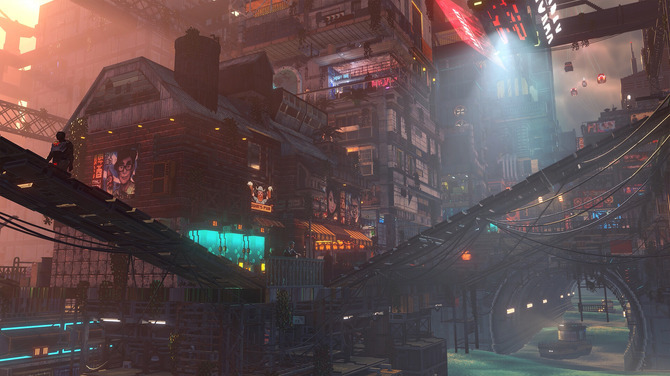
The game didn’t exactly get off to a smooth start, primarily due to performance issues. While its Steam reviews are currently “Somewhat Positive” as of this writing (October 3), Update #1 was released on October 2 to address these performance issues.

Further Performance Improvements
Update #2 was released on October 2—the same day as Update #1—and includes further performance improvements.
Additionally, this update includes improvements to staff behavior by establishing task priorities, and it is reported that staff members will become more specialized going forward. However, it is also noted that due to this change, stores with too many seats and only one employee may likely be unable to handle a large number of customers.
The published patch notes are as follows.
*This text has been edited based on machine translation; individual terms may be inaccurate.
Fixed the blurry newspaper in Hive Mall
Decorative furniture set as storage or refrigerated space now counts correctly toward the venue’s total storage capacity
Improved the display of dialogue that was skipped without an option
Treasure hunt spot icons have been updated to be more easily recognizable
The Kitchen Buffet has been reconfigured as a storage unit with 100 standard storage slots and 50 refrigerated storage slots
Fixed the display of the cleaning icon for the large sink
Fixed an exception where players would become unable to move if a staff character cleaned trash that had already been cleaned
Repaired the counter at Odin’s Pub
Character optimization (reduced bone weights at low LOD)
The game now prioritizes using older ingredients for cooking. While this reduces the amount of spoiled food, it also increases the likelihood of lower ratings for food freshness in customer reviews.
Going forward, staff will prioritize their tasks in the following order:
Serve meals
Process ingredients
Prepare meals using a food processor or drink machine
Take new orders
Delivery of ingredients (Manager)
Purchasing ingredients (Manager)
Handling complaints (Manager)
Cleaning up after meals
Trash removal (Cleaner)
Organizing the storage area (Cleaner)
This promotes specialization. If there are too many seats, a store with only one employee is more likely to be unable to handle a large number of customersThe stability of the fishing rod’s physical properties has been improved
When overwriting existing save data, the previous save data will no longer be lost even if an unexpected crash occurs
Graphics Settings: Added a verification pop-up to confirm texture quality changes (this may take some time) and a pop-up showing progress while textures are reloading
Graphics Settings: The “Low” texture quality setting has been removed (players using the “Low” setting will be automatically upgraded to “Medium”).
Graphics Settings: Changing the game resolution no longer causes the game window to move to a different, smaller monitor.
Graphics Settings: Fixed an issue where the resolution was not applied correctly
Graphics Settings: Fixed an issue where the “Revert to Preset” button was displayed unnecessarily
Performance: We have implemented a light culling system to improve performance. A new slider called “Lighting Details” has been added to the graphics settings, allowing you to set the number of lights that can be active simultaneously within your field of view. Moving the slider all the way to the right completely disables culling, while moving it to the left deactivates lights based on distance. We plan to continue improving this system going forward
Corrected the placement of trash cans in the Central Canyon venue. Previously, they were located quite far from the player’s owned venue. This improves the behavior of managers and cleaners in this area
Fixed an issue where crowd characters would extend beyond the navmesh boundaries or level geometry during conversations.
Various other bug fixes and improvements
"Nivalis Nights" is now available for Windows (Steam).


