
![[Terukazu Yoshida’s VR Picture Diary] The game I’m playing on the latest VR device, the “Steam Frame,” is a VR game where you scratch your *balls*! “Ball Scratch Simulator”](/imgs/p/JIxo87wJh5Y_xgjF1boGNUXVYNtu3dzb2tnY/3286.jpg)
![[Terukazu Yoshida’s VR Picture Diary] The game I’m playing on the latest VR device, the “Steam Frame,” is a VR game where you scratch your *balls*! “Ball Scratch Simulator”](/imgs/p/_zOaUlRqojxBw0ee6C2849PQ-N8W3dzb2tnY/3286.jpg)
![[Terukazu Yoshida's VR Picture Diary] The game I'm playing on the latest VR device, the](/imgs/p/_zOaUlRqojxBw0ee6C2849PQ-N8W3dzb2tnY/3287.jpg)
![[Terukazu Yoshida’s VR Picture Diary] The game I’m playing on the latest VR device, the “Steam Frame,” is a VR game where you scratch your *balls*! “Ball Scratch Simulator”](/imgs/p/_zOaUlRqojxBw0ee6C2849PQ-N8W3dzb2tnY/3288.jpg)
![[Terukazu Yoshida's VR Picture Diary] The game I'm playing on the latest VR device, the](/imgs/p/_zOaUlRqojxBw0ee6C2849PQ-N8W3dzb2tnY/3289.jpg)
![[Terukazu Yoshida's VR Picture Diary] I'm playing a VR game where you scratch your balls on the latest VR headset, the](/imgs/p/_zOaUlRqojxBw0ee6C2849PQ-N8W3dzb2tnY/3290.jpg)


![[Terukazu Yoshida's VR Picture Diary] The game I'm playing on the latest VR device, the](/imgs/p/_zOaUlRqojxBw0ee6C2849PQ-N8W3dzb2tnY/3293.jpg)

This time, I got to try out the “Steam Frame,” a VR headset developed by Valve!
Here’s the VR headset itself and the left and right controllers. The controllers have an excellent grip and seem like they’d work well even for playing non-VR games. Next, let’s try putting on the VR headset.
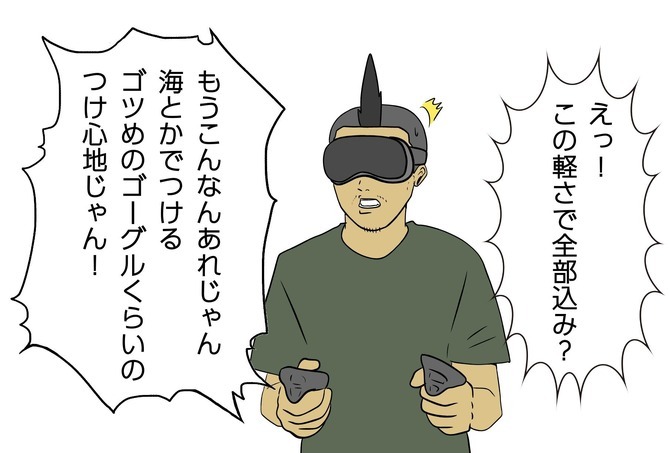
When I actually put it on, the first thing that surprised me was how light it was. When you think of a VR headset, you inevitably imagine something heavy and bulky, but the Steam Frame feels almost like wearing a diving mask. With this, even after playing for long periods, the strain on your neck and shoulders seems to be significantly reduced.
Plus, since you can play games on the Steam Frame on its own, it’s great not to be bothered by cables. You don’t have to connect it to a PC every time you want to play a VR game—you can just jump right in whenever the mood strikes. This convenience will likely be a major draw even for people who aren’t very familiar with VR games.
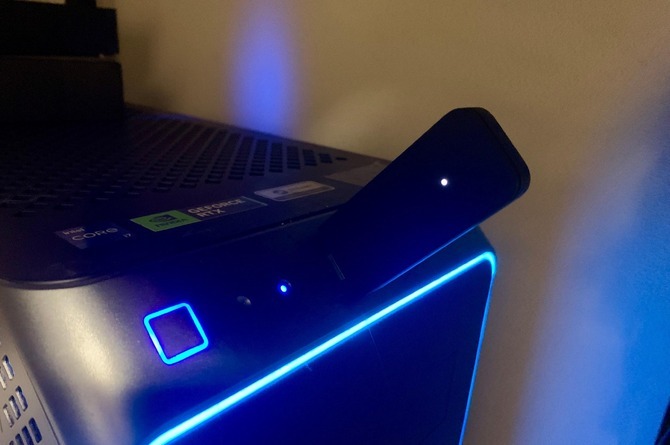
Of course, you can also connect wirelessly to a PC to enjoy SteamVR games and non-VR games designed for PC. You can choose to play casually in standalone mode, or connect to a PC to enjoy a wider variety of games. What’s interesting is that, rather than being a dedicated VR device, it can also be used as a gaming console that lets you enjoy a wide range of Steam games.
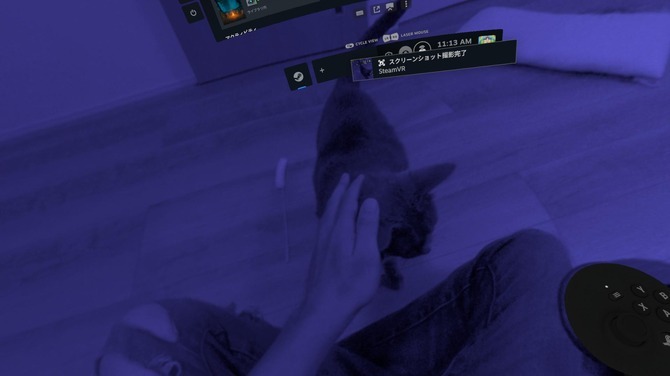
On the menu screen, you can view your own room through the device’s camera. Since you can check your real room from within the VR space, you’ll even be able to handle a sudden attack by your cat!
◆ Scratch the Ball Without Getting Caught! “Ball Scratch Simulator”
One title you can play on this latest VR device is “Ball Scratch Simulator,” a PC game from 10ft Games!
Itching caused by sweating in the crotch area is a common nuisance, especially in the summer. When you’re at home, you can scratch away to your heart’s content without worrying about anyone seeing you, but in public places where people are watching, it’s not that simple. “I want to scratch! But I can’t!” This game focuses on that very dilemma.

In short, you get to scratch your crotch to your heart’s content without getting caught.


The controls are simple. Just move your hand to your crotch, hold down the trigger (or left-click the mouse in non-VR mode), and make small, quick movements to scratch away. Sneak past the teacher wandering around and scratch those itchy balls to your heart’s content.
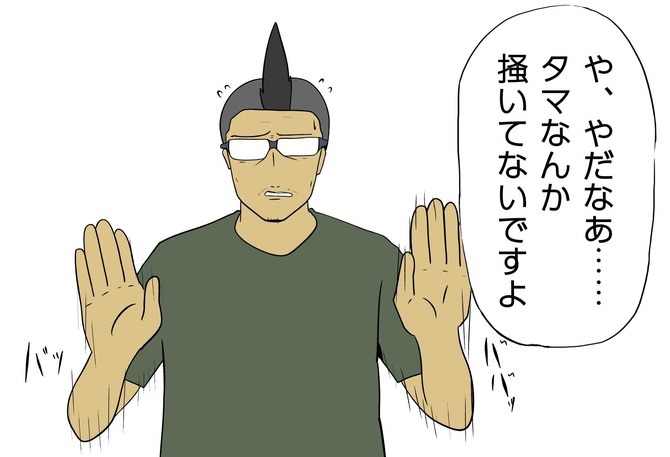
Since having your hand near your crotch will raise suspicion, it’s best to take your hand away when someone is watching.
Also, pinching and rubbing can help keep the itching from getting worse. And you can even sniff the hand you’ve been scratching with. Is this protagonist a pervert?
Now that I’ve checked the controls, let’s start playing right away!
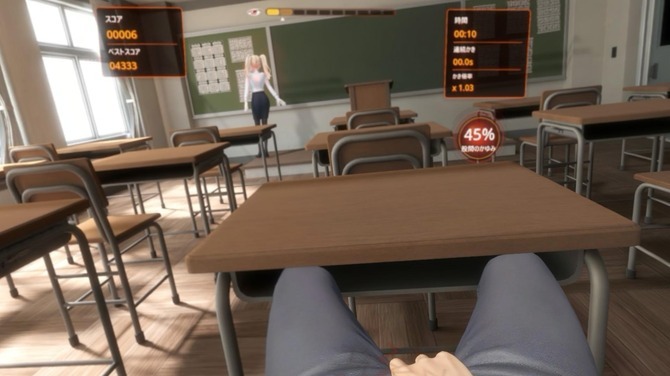
Scratching continuously increases your continuous scratching time and scratching multiplier, boosting your score. That said, the protagonist is constantly moaning “Mmm…” and “Haa~”—it’s so annoying. I’m scratching for you, so just shut up.

If you keep scratching continuously, effects like “Steady Flow” and “Turbo Scratch” will trigger, boosting your score multiplier.
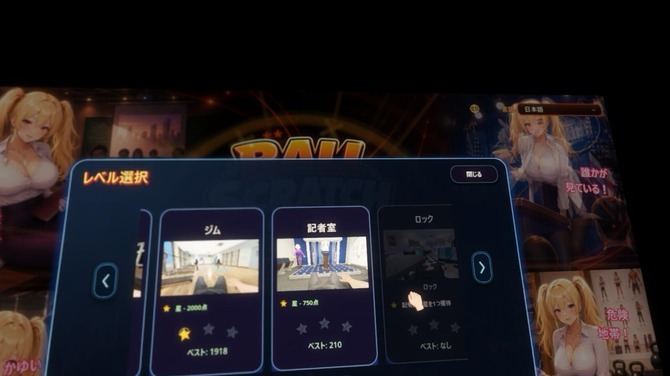
If you keep scratching for a certain amount of time, new stages will unlock. Well, all you really have to do is scratch your crotch.

There’s even a stage where you attend a press conference as a member of the media. Why on earth would they make me do this the day before covering the Tokyo Game Show…! (Written on September 15, 2026)
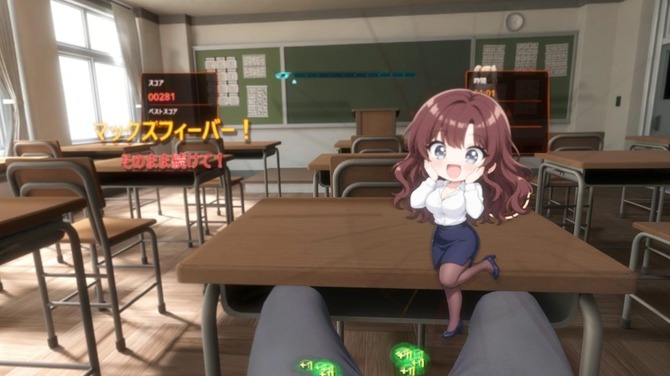
That said, some of you might be thinking, “A game where you scratch your balls with the latest VR hardware…?” But the editorial department that chose this title isn’t at fault. It’s the game itself that’s to blame for being released at such a perfect time. Since this is a review of the latest VR hardware, there was simply no other choice.
“Ball Scratch Simulator” is now available for PC (Steam)!
The appeal of the Steam Frame lies in its lightweight design, freedom from cables, and ease of use—whether you’re using it on its own or connecting it wirelessly to a PC. It supports a wide range of uses, letting you enjoy not only VR games but also the Steam games you play every day.
However, there is one thing to keep in mind. Since the VR headset itself is compact, you may find it difficult to wear if you have glasses with a larger frame, so please be aware of this.
This VR headset is perfect for anyone who wants to enjoy VR games with ease!



![[Terukazu Yoshida’s VR Picture Diary] The game I’m playing on the latest VR device, the “Steam Frame,” is a VR game where you scratch your *ball*! “Ball Scratch Simulator”](/imgs/p/_zOaUlRqojxBw0ee6C2849PQ-N8W3dzb2tnY/3294.jpg)
![[Terukazu Yoshida's VR Picture Diary] The game I'm playing on the latest VR device, the](/imgs/p/_zOaUlRqojxBw0ee6C2849PQ-N8W3dzb2tnY/3295.jpg)
![[Terukazu Yoshida's VR Picture Diary] The game I'm playing on the latest VR device, the](/imgs/p/_zOaUlRqojxBw0ee6C2849PQ-N8W3dzb2tnY/3296.jpg)
![[Terukazu Yoshida's VR Picture Diary] The game I'm playing on the latest VR device, the](/imgs/p/_zOaUlRqojxBw0ee6C2849PQ-N8W3dzb2tnY/3297.jpg)
![[Terukazu Yoshida’s VR Picture Diary] The game I’m playing on the latest VR device, the “Steam Frame,” is a VR game where you scratch your *ball*! “Ball Scratch Simulator”](/imgs/p/_zOaUlRqojxBw0ee6C2849PQ-N8W3dzb2tnY/3298.jpg)
![[Terukazu Yoshida’s VR Picture Diary] The game I’m playing on the latest VR device, the “Steam Frame,” is a VR game where you scratch your *balls*! “Ball Scratch Simulator”](/imgs/p/_zOaUlRqojxBw0ee6C2849PQ-N8W3dzb2tnY/3299.jpg)