


For hardcore gamers, weekday evenings after work are a time of pure bliss. They dive into ranked matches in *Street Fighter 6*, chat with friends on Discord, and record and save matches where they spot areas for improvement.On days off, they review replays or edit them into clips to share… I’m sure there are plenty of working gamers who spend their time this way.
On the other hand, if you want to tackle everything from gaming to streaming, recording, and editing, the demands on your PC setup increase. Separating your work PC from your gaming PC takes up desk space, requires moving equipment and data back and forth, and can become quite a hassle.

In this article, we’ll share our impressions after testing the “Lenovo Legion Pro 5 Gen 10 (16-inch AMD),” a gaming laptop equipped with an AMD Ryzen processor and an NVIDIA GeForce RTX 50 Series GPU.We put it to the test to see if a single machine could handle everything from daytime production, web editing, and online meetings to nighttime gaming, streaming, and video editing.
Making Weeknight Gaming Sessions Even More “Solid”

For working gamers, PC performance is, of course, crucial. However, if you plan to use it daily, there are other factors to consider beyond just performance.For example, you might wonder, “Will it look too ‘gaming-y’ if I leave it on my desk all the time?” or, depending on your work style, “Does it blend in naturally as a tool for writing emails and documents, opening files, and holding web conferences?” Another key point is whether you can “dive straight into the gaming world the moment you finish work.”

The “Lenovo Legion Pro 5 Gen 10 (16-inch AMD)” exudes the power you’d expect from a gaming laptop without veering into an overly flashy design.The chassis’s understated finish blends seamlessly onto a desk, making you want to treat it as your main PC for everyday use rather than tucking it away as “special equipment” for gaming.

While you could completely separate your environments—"gaming is for gaming, work is for work"—if you want to make the most of your limited desk space and time, the option to reduce the hassle of switching between them is also appealing. This machine is exactly the kind you can easily imagine using continuously—from weekdays during the day through the night, and even on weekends.
“Street Fighter 6,” Discord, and OBS streaming… Performance testing with everything running at once
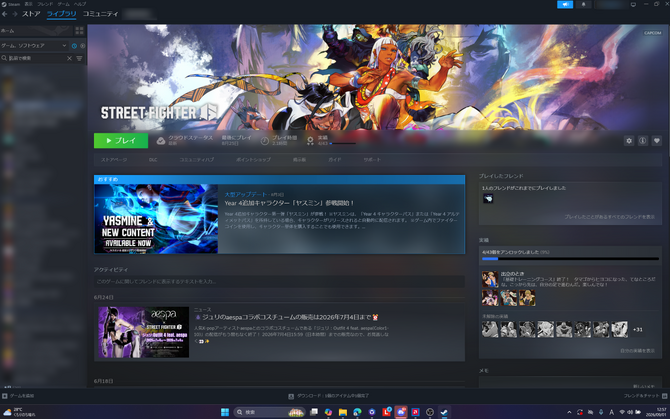
Next, I tested running multiple applications simultaneously—the kind many gamers are likely to use. For the game, I chose *Street Fighter 6*.In addition to Steam—which goes without saying—I added Discord voice chat, YouTube streaming and recording via OBS, and web browsing, then tested the setup for a few hours. I tried to recreate my “usual PC gaming routine”—talking while playing, streaming video, and checking walkthroughs and tournament information.
Even on a PC that handles “gaming-only” tasks with ease, when running multiple apps simultaneously, concerns about “graphics stability,” “ease of handling streamed video,” and “background processing” come into play.Especially in competitive games, worries like “The game might start stuttering once I start streaming” or “I might need to end the call to free up resources” can easily break your concentration while playing.
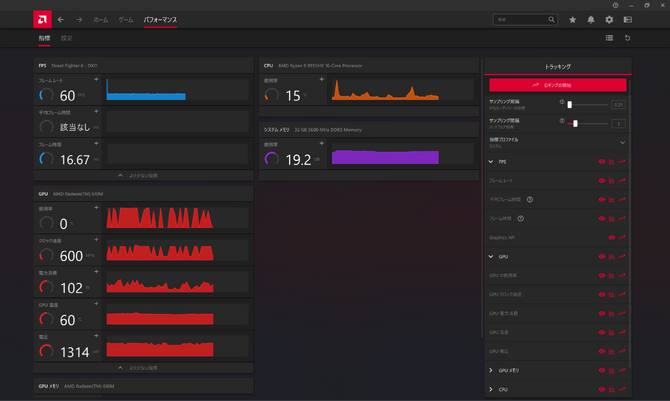
For this test, using AMD Software: Adrenalin Edition, I recorded the frame rate of *Street Fighter VI* for approximately 60 minutes during a several-hour trial, along with the overall system performance while using Discord, OBS, and streaming to YouTube.
The results showed a median in-game FPS of 60 fps and an overall average of 60.02 fps. While we observed some momentary fluctuations, the lowest value in the 10-second moving average remained at 58.25 fps. Of course, there were no instances during matches where the graphics remained distorted for an extended period.
CPU usage averaged approximately 25% and peaked at 77.25%, while system memory usage averaged about 17% and peaked at 21.26%. Although there were moments of momentary spikes in load, I didn’t notice any processing bottlenecks during the test, and the system felt capable of handling multiple applications running simultaneously.
The GPU temperature peaked at 74°C, and there was no noticeable trend of the temperature continuing to rise toward the end of the test. However, results may vary depending on game settings, streaming resolution, encoding settings, network conditions, and even room temperature.Even so, in a test environment where “gaming, voice calls, streaming, recording, and even web browsing” were running simultaneously, the system provided a sense of stability that allowed me to focus on the game without having to worry excessively about the PC’s performance.

In *Street Fighter 6*, it’s especially important that key in-game displays remain visible and that your gameplay rhythm isn’t disrupted, even when using voice chat or streaming simultaneously. The peace of mind that comes from knowing your precious post-work match won’t be derailed by PC issues is sure to resonate strongly with working gamers.
Turn Your Matches into Content

Not only those who stream or upload videos, but also players of competitive games often find themselves “reviewing their own replays.”Whether it’s reliving the thrill of a moment when you played better than usual, or the satisfaction of pulling off a last-second comeback in a tight spot, or reviewing your performance to improve your strategy in ranked matches, many players likely check their replays either within the game or using video editing software on their PC.
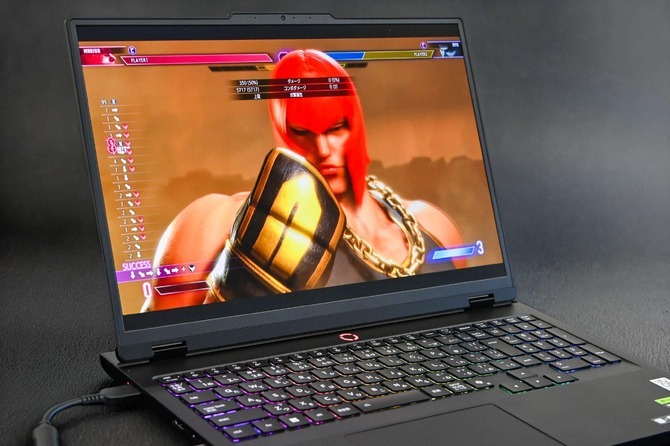
The 16-inch, 2560×1600 display with a 16:10 aspect ratio on the “Lenovo Legion Pro 5 Gen 10 (16-inch AMD)” gives a sense of spaciousness not only for the game screen but also for tasks like viewing the timeline in editing software, browsing the web, or arranging drafts and reference materials side by side.
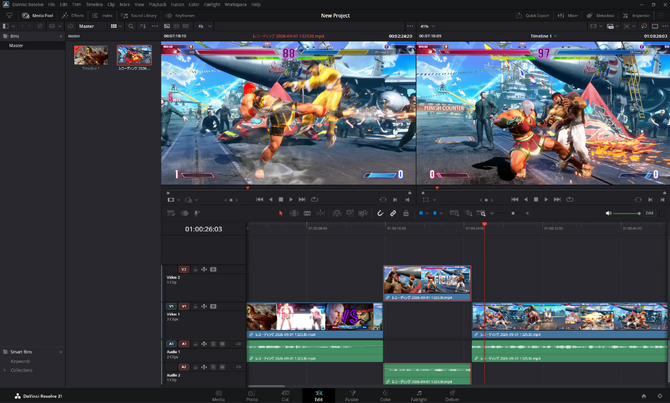
I also tried importing gameplay footage saved in OBS into video editing software and cutting out the necessary scenes while reviewing the replays.The 16-inch, 2560×1600 display with a 16:10 aspect ratio makes it easy to view the preview, timeline, and clip library all on a single screen, and I found it hard to feel cramped even when trimming short clips.
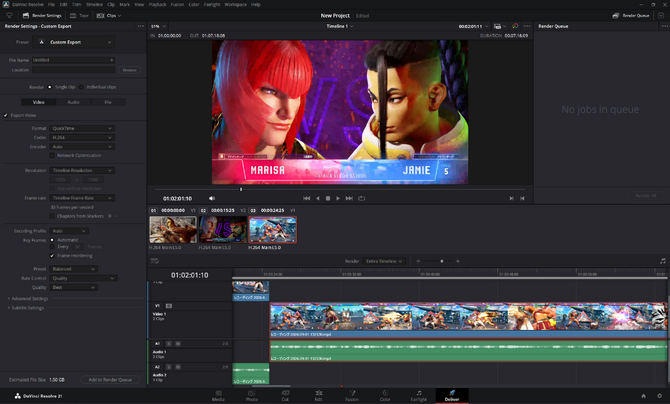
Additionally, one of the benefits of having “everything in one device” is that you don’t have to separate casual multiplayer gaming on weeknights from intensive video editing on weekends—you can review your recordings on the spot and apply what you learn to your next session. This makes it easier to apply the experience gained from gaming to your next playthrough or video production.
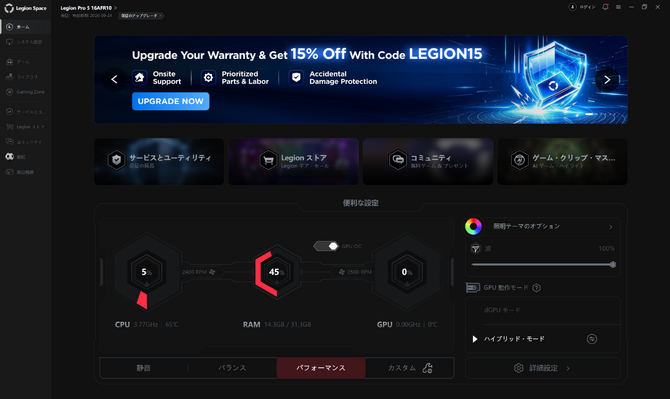
Furthermore, the “Lenovo Legion Pro 5 Gen 10 (16-inch AMD)” features “Lenovo AI Engine+,” a proprietary function that optimizes performance, cooling, and power consumption based on the situation. The “Legion Space” control hub app allows you to check and adjust performance modes and fan settings.The performance log results mentioned earlier were obtained after selecting the “Performance” setting in “Legion Space.”
While there’s certainly enjoyment in fine-tuning settings for each game, the AI automatically adjusts them to optimal levels, allowing you to start playing right away even after a long day at work. Since “Lenovo AI Engine+” automatically balances performance, power consumption, and cooling, some users may find it easier to spend more time competing or creating content rather than fiddling with settings.
“High Immersion and Visibility” Powered by OLED and 165Hz

Display quality is also a major factor that influences the gaming experience. The “Lenovo Legion Pro 5 Gen 10 (16-inch AMD)” features a 16-inch OLED display with a maximum refresh rate of 165Hz, offering a configuration that combines high-resolution, vivid visuals with smooth screen updates.

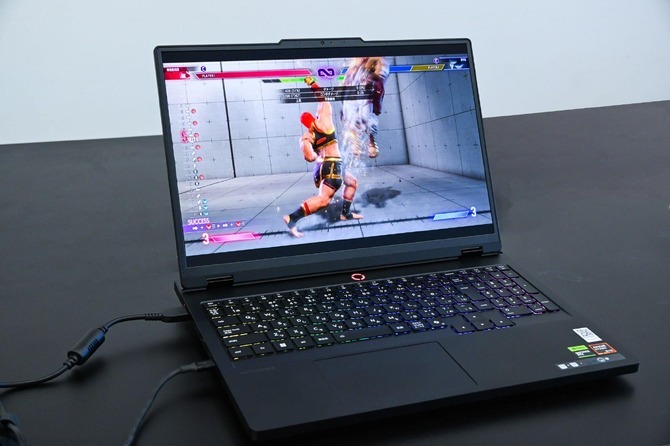
In *Street Fighter 6*, I found it easy to keep track of on-screen information even during scenes where character movements and effects intersected. It was hard to lose track of my opponent’s distance, movements, or the attacks they launched, while still being able to vividly enjoy flashy special moves and stage effects.
The OLED’s vivid display also excels at reviewing game replays, checking footage during video editing, and viewing reference images or web pages while drafting documents. The high-quality screen designed for gaming also proves invaluable for work the next morning. This versatility is a key factor to consider when using it as your main PC.
Note that since *Street Fighter 6* is designed to run at 60 fps, there are limited situations where you can fully take advantage of the maximum 165 Hz refresh rate.However, its smooth display is easily noticeable not only with high-frame-rate content but also during everyday tasks such as scrolling through a browser, watching videos, and navigating timelines in editing software.
Even the morning after finishing a game, you’ll continue using it as your work companion

After finishing a game, the very next morning you can use the same PC to write drafts, review documents, edit web content, and participate in online meetings. When all of this flows naturally from a single device, your PC setup becomes much simpler.The “Lenovo Legion Pro 5 Gen 10” runs Windows 11 Home, so you can, of course, use “Microsoft 365” and any other software you need for work.
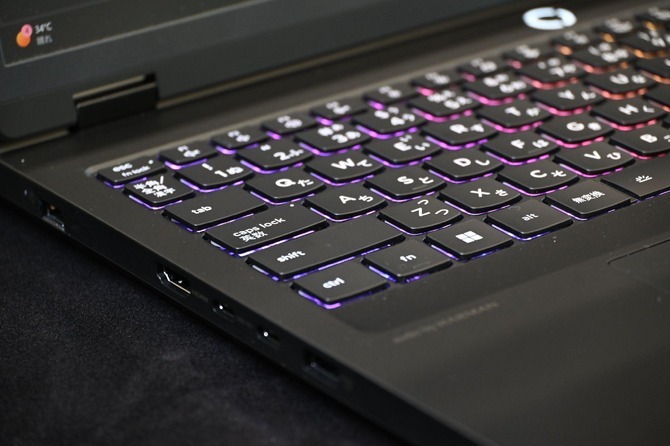
The keyboard, featuring 24-zone RGB backlighting, offers a deeper key travel than is typical for a laptop. Designed to take advantage of the 16-inch form factor, it features a spacious layout and includes a numeric keypad. It’s well-suited for everyday PC tasks and is also useful for video production—where you might need to manually enter parameters—as well as for working with spreadsheet software.
Consolidating work and hobbies onto the same PC does more than just free up desk space. It reduces the hassle of booting up a different PC, transferring data, or reconnecting peripherals. As a result, it makes it easier to make small decisions, such as “playing just one game after getting home” or “reviewing a recording for just five minutes.”

The interface includes a “microphone/headphone jack,” “two USB 3.2 Gen 1 ports,” “an electronic privacy shutter,” and “a wired LAN connector (RJ45).”“HDMI output x1,” “USB 3.2 Gen 2 x1,” and “USB 3.2 Gen 2 Type-C x2.” For gaming, it seamlessly supports headsets, gamepads, and arcade controllers, and it’s also a configuration that holds its own for creative and business use.
From gaming, voice calls, streaming, and recording on weekday evenings, to reviewing replays, video editing, and getting work done the next morning on weekends—the “Lenovo Legion Pro 5 Gen 10 (16-inch AMD)” is a gaming laptop that brings together gaming, content creation, and daily tasks in a single device, providing an environment that lets you dive right into whatever you want to do.
“Lenovo Legion Pro 5 Gen 10 (16-inch AMD)” | LenovoThe “Lenovo Legion Pro 5 Gen 10 (16-inch AMD)” we tested has a standard price of 481,065 yen (tax and shipping included, as of September 9, 2026).Please note that prices and configurations are subject to change. When purchased from Lenovo’s official online store, the laptop comes with a one-year subscription to “Legion Ultimate Support,” which provides 24/7, 365-day assistance from staff specializing in “gaming” to address issues during gameplay or PC overheating.
“Lenovo Legion Pro 5 Gen 10 (16-inch AMD 16AFR10)”
CPU: AMD Ryzen™ 9 9955HX (2.50 GHz, up to 5.40 GHz)
OS: Windows 11 Home 64-bit (Japanese version)
Microsoft Office: Microsoft 365 Trial Version
RAM: 32 GB DDR5-5600 MT/s (SODIMM, 16 GB × 2)
Storage: 1 TB SSD (M.2 2280, PCIe-NVMe Gen 4, TLC)
Display: 16-inch WQXGA OLED (organic EL, 2560×1600, glossy, no multi-touch support, HDR 1000 True Black, 100% DCI-P3, 500 nits, 165 Hz, blue light reduction panel)
GPU: NVIDIA® GeForce RTX™ 5070 Laptop GPU (8 GB GDDR7)
Webcam: 5-megapixel camera with built-in microphone
Keyboard: 24-zone RGB backlit, Japanese layout, black
Wireless: Wi-Fi 7 compatible (IEEE 802.11be/ax/ac/a/b/g/n, 2×2, 160 MHz) & Bluetooth®
Battery: 4-cell rechargeable lithium-ion battery (80 Wh)
Power Adapter: 245W AC Adapter
Standard Warranty: 1-year pickup and repair
Support: 1-Year Legion Ultimate Support
If you’re intrigued by the power of AMD Ryzen processors and NVIDIA GeForce RTX 50 Series GPUs, combined with the refined build quality and user experience, why not check out the “Lenovo Legion Pro 5 Gen 10 (16-inch AMD)” model lineup to find the configuration that suits you best!
“Lenovo Legion Pro 5 Gen 10 (16-inch AMD)” | Lenovo


